
RMM Administration for MSPs

Monitoring configuration, alert refinement, automation tuning, and platform optimization.
Engineers who make your RMM perform the way it should. 

The RMM Problem

Your RMM Platform Is Powerful.
The Question Is Whether Anyone Is Running It Well.

Most RMM environments accumulate noise over time. Alert thresholds drift. Automation scripts break and nobody notices. Patch policies get set once and never revisited. Monitoring configurations that made sense with 20 clients don’t hold up at 80. The platform is still running, but it’s running poorly, and the inefficiency shows up as alert fatigue, missed patches, inconsistent maintenance, and engineers spending time on problems the RMM should have prevented.

RMM administration under IMS puts dedicated engineers on the platform itself. Not just using your RMM to monitor client environments, but actively managing, tuning, and optimizing the platform so it delivers the results you’re paying for.

RMM administration operates as a grey-label extension of your MSP within the IMS framework. Engineers work inside your existing RMM platform, following your configurations and standards.

HOW OUR APPROACH COMPARES

Platform Administration, Not Just Platform Usage

RMM administration focuses on the health and performance of the platform itself, so every other service layer that depends on it works better.

Typical RMM Support

  • Engineers use the RMM to respond to alerts
  • Alert thresholds set once and left alone
  • Automation scripts deployed and forgotten
  • Patch policies configured at setup
  • Monitoring noise accepted as normal
  • RMM gets less effective as you scale
VS

ITBD RMM Administration

  • Engineers manage the RMM to improve alert quality
  • Alert thresholds continuously tuned based on real environment data
  • Automation reviewed, refined, and expanded over time
  • Patch management actively administered and validated
  • Noise treated as a platform problem to be solved
  • RMM gets more effective the longer we operate in it

The distinction matters. When the platform is well-administered, everything that runs on top of it improves: NOC operations get cleaner alerts, helpdesk engineers see fewer preventable tickets, and your service desk spends less time on issues the RMM should have caught.

Comprehensive Platform Administration

WHAT OUR ENGINEERS HANDLE

RMM administration covers the full scope of platform health, from monitoring configuration to automation management to patching execution. These are the operational details that make the difference between an RMM that generates noise and one that drives results.

Environment Monitoring

Continuous monitoring across endpoints, servers, and networks to detect issues early and maintain stability.

Alert Management and Noise Control

Thresholds are tuned to reduce noise and eliminate false positives. Only actionable alerts reach your team.

Automation and
Scripting

Scripts and policies are built and maintained to resolve recurring issues automatically and reduce manual work.

Patch
Management

Structured OS and third-party patching, executed, validated, and documented across client environments.


Health Checks and Performance Oversight

Regular checks identify risks early, supporting predictable uptime and fewer reactive tickets.

Platform Configuration

Monitoring rules and automation policies are continuously reviewed and optimized as your client base grows.

A dedicated QA team independently validates RMM administration quality, tracking remediation accuracy, documentation completeness, and platform health metrics to ensure performance stays consistent as your environment scales.

HOW RMM GETS OPTIMIZED
Continuous Improvement, Not a One-Time Setup

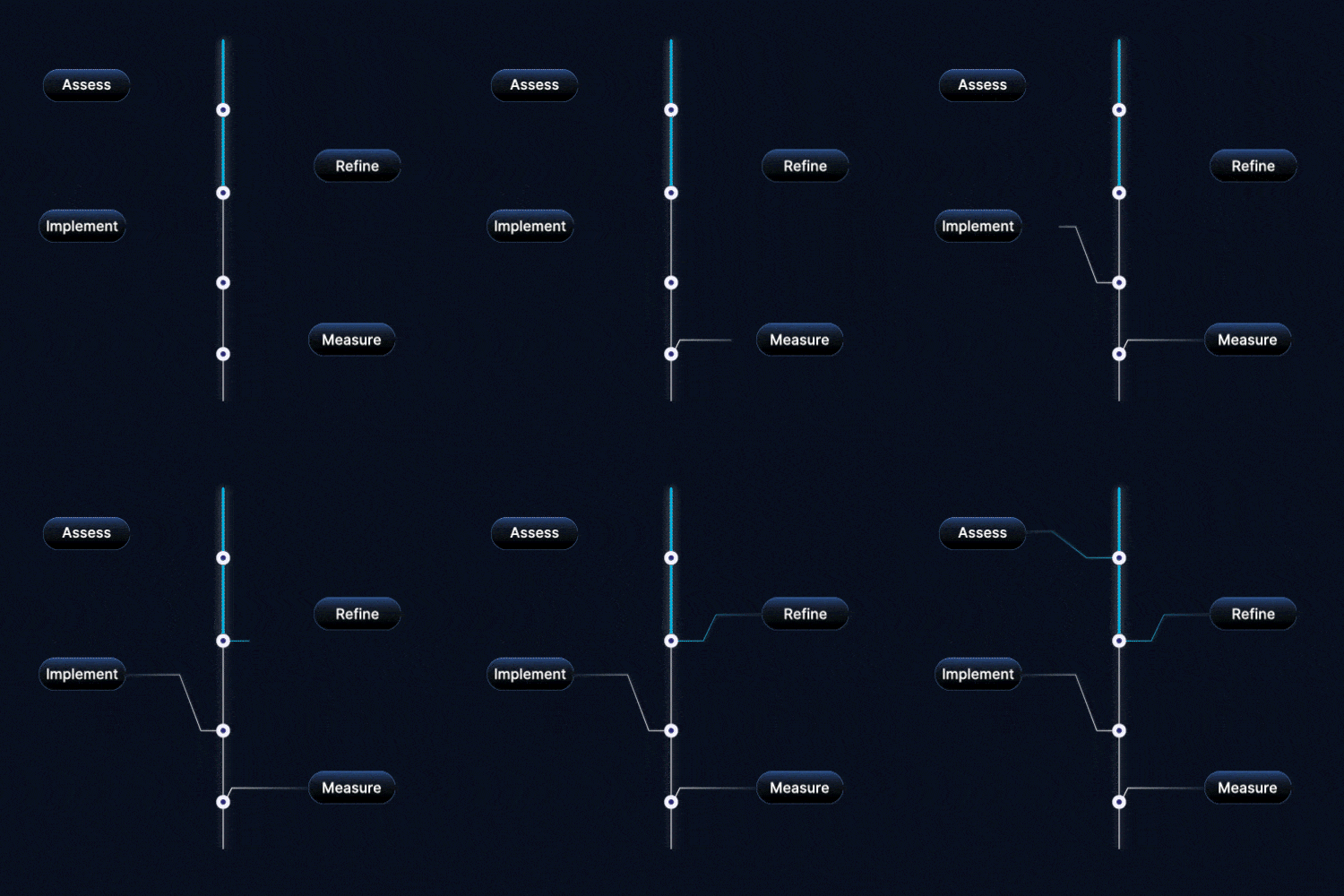
RMM optimization isn’t a project. It’s an ongoing discipline. Environments change, client bases grow, and the platform has to evolve with them. Our engineers treat your RMM as a living system that gets better over time, not a tool that gets configured once and left alone.
Step
1
Assess
Review current monitoring configurations, alert thresholds, automation policies, and patch management settings. Identify what's working, what's generating noise, and where gaps exist.
Step
2
Refine
Tune alert thresholds, clean up outdated configurations, update automation scripts, and align monitoring policies to current client environments. Reduce the noise. Sharpen the signal.
Step
3
Implement
Deploy optimized configurations, new automation, and updated patching policies across client environments. Every change is documented and validated.
Step
4
Measure
Track the results. Alert volume, false positive rates, patch success, automation effectiveness, and overall platform health. Use the data to identify the next round of improvements.
30 - 0 %

Reduction in Alert Noise

25 - 0 %

Faster Resolution Times

0 %+

Patch Success Rates

EMBEDDED IN YOUR PLATFORM

Your RMM. Your Configurations. Our Engineers.

RMM administration happens directly inside your existing platform. We don’t introduce a separate tool, overlay a proprietary layer, or create parallel configurations. Your RMM is our working environment.

Monitoring Inside Your RMM

All monitoring, alert management, and automation operate within your existing platform. No separate dashboards or tools.

Configurations Aligned to Your Standards

Every configuration change, threshold adjustment, and automation update follows your standards and is aligned to your operational model.

Documentation Inside Your Systems

Changes, optimizations, and maintenance actions are documented inside your systems so your team has full visibility.

PATCHING AND MAINTENANCE

Patching That's Administered, Not Just Automated

Patch management is one of the most common areas where RMM platforms underperform. Policies get configured during initial setup, exceptions accumulate, and over time patch success rates drift downward. Our engineers actively administer patch management across your client environments. This means structured patching routines, validation after deployment, exception management, and reporting that shows actual patch status, not just what the policy says should have happened.

  • OS patching across endpoints and servers
  • Third-party application patching
  • Patch validation and success confirmation
  • Exception tracking and remediation
  • Patch reporting and compliance documentation
  • Maintenance window management

AUTOMATION AND SCRIPTING

Automation That Gets Maintained, Not Just Deployed

Automation is only valuable if it keeps working. Most RMM environments have scripts and policies that were deployed months or years ago and haven’t been touched since. Some still work. Some run but produce errors nobody reviews. Some broke quietly, and nobody noticed.

Build

New automation scripts and remediation policies are developed to address common issues and reduce manual workload.

Maintain

Existing scripts and policies are reviewed, updated, and refined as environments evolve and new requirements emerge.

Validate

Automation outputs are monitored and validated to ensure scripts are running correctly and producing expected results.
Engineers remain responsible for judgment calls. Automation handles the repeatable work. Engineers handle the exceptions and the decisions that require context.

The Tools We Train On and Operate In

N-able
Automate
Kaseya
NinjaOne
Datto

OPERATIONAL IMPACT

What Changes When Someone Is Actually Running Your RMM

When experienced engineers actively administer your RMM platform, the results show up quickly and compound over time.

30 to 50% Less Alert Noise

25 to 40% Faster Resolution

90%+ Patch Success

20 to 35% Better Utilization

Higher Uptime

Proactive health checks and performance monitoring.

Stronger Automation

Automation that’s maintained and validated performs better and handles more over time.

RMM becomes a reliable engine for scale, stability, and profitability when someone is actively running it instead of just deploying it.

ENTERPRISE TRUST

Trusted by Growth-Focused MSPs

40%
Manual Workflows automated

30%
Lower Dispatch Cost

50%
Faster Resolution

SOC 2
Type II Certified

900+
Engineers

Trusted by 400+
Growth-Stage MSPs

Ready to Make Your RMM Platform Actually Perform?

Talk to our infrastructure team about how RMM administration fits into your current environment and where the biggest gains are. 

faqs

Common Questions About RMM Administration
Do you work with our existing RMM tool?

Yes. Our engineers operate inside your current platform and follow your existing configurations and workflows. We work with the leading RMM platforms MSPs use.

Is this the same as having an RMM engineer on staff?

It’s more than that. This isn’t just an engineer who knows how to use your RMM. It’s ongoing platform administration focused on alert quality, automation health, patching accuracy, and monitoring optimization. The platform gets better over time, not just maintained at its current state.

How quickly will we see improvements after onboarding?

Most MSPs see cleaner alerts, improved patch rates, and smoother operations within the first few weeks. The improvement compounds as our engineers learn your environment and refine configurations over time. 

Do your engineers handle automation and scripting?

Yes. Engineers build, refine, and maintain automation scripts and remediation policies. Existing scripts are reviewed and updated. New automation is developed to address recurring issues and reduce manual effort.

Is patch management included?

Yes. We administer OS patching and third-party patching across your client environments, including validation, exception management, and compliance reporting.

How do you reduce alert noise?

Engineers tune alert thresholds, clean up outdated monitoring configurations, remove duplicate or redundant alerts, and refine monitoring rules so your team only sees what actually requires attention. This is ongoing work, not a one-time cleanup.

How does QA work for RMM administration?

 A dedicated QA team independently validates delivery quality, tracking platform health metrics, documentation completeness, and remediation accuracy to ensure standards hold as your environment scales.

Is this grey-labeled?

Yes. All RMM administration operates as a grey-label extension of your MSP within the IMS framework. Engineers work inside your platform, your configurations, your standards.

Can RMM administration work alongside NOC services?

Absolutely. RMM administration and NOC services are complementary. When the RMM platform is well-administered, NOC operations receive cleaner alerts, faster automation, and more reliable monitoring data. Many MSPs run both under the IMS framework.

How does RMM Administration fit into the broader IMS framework?

RMM Administration is one of five service layers within Infrastructure Management Support. It shares the same operating model, standards, and governance structure as NOC, SOC, Helpdesk, and Professional Services.

Let's get started